Arrivals Calendar
The arrivals calendar shows all presold access products, lessons, rentals, and packages on a calendar, organized by their dates and times. Date-Range inventoried products do not appear on this calendar. This calendar is nearly identical to the inventory calendar, except it shows tickets that have been sold, not tickets that are available to be sold. The arrivals calendar is available to anyone with Guest Services access.
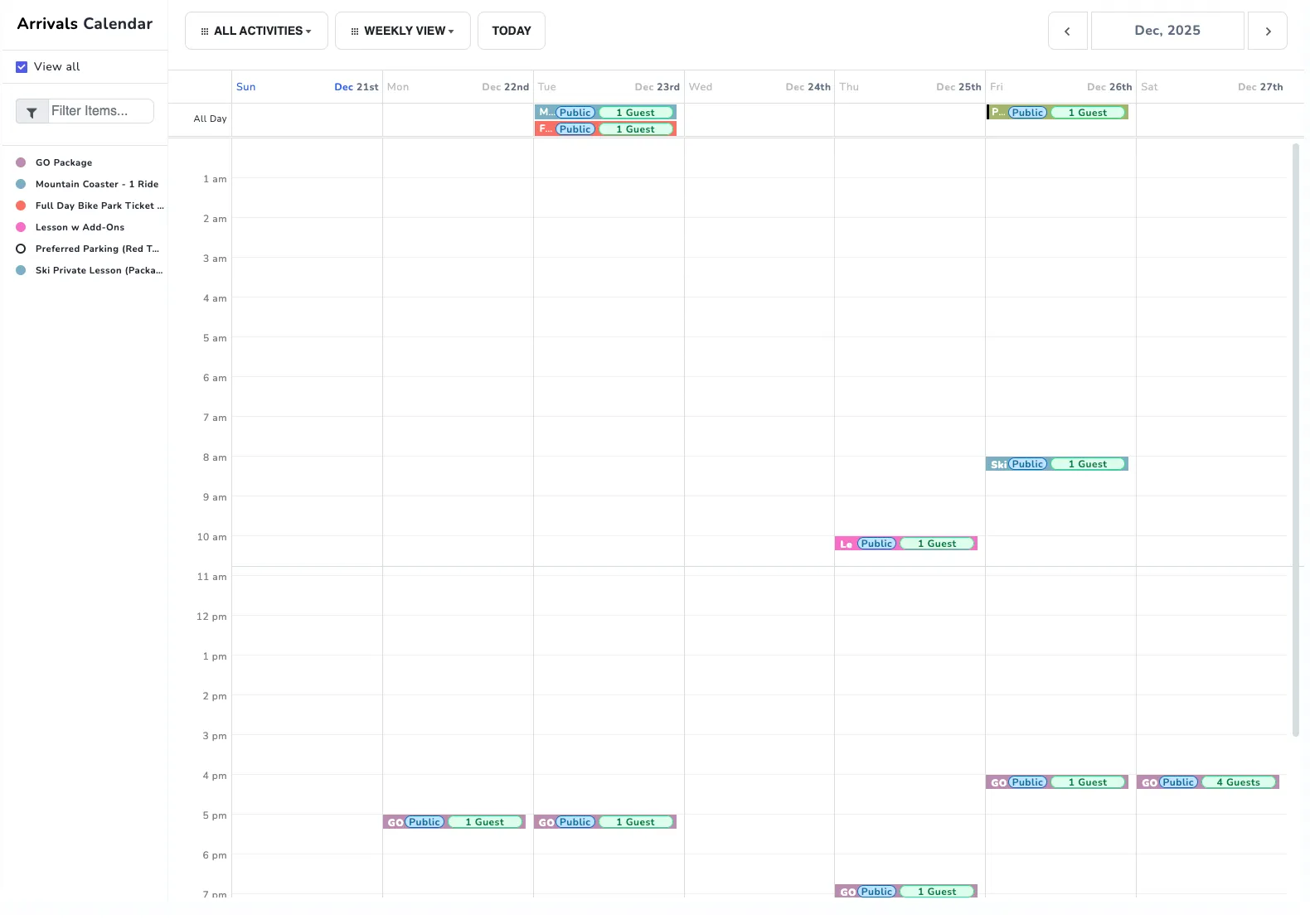
View Options
You can view the calendar in a monthly, weekly, or daily view. In monthly view, only date specific inventoried products will show. Date-Time specific products will only be displayed in weekly or daily views. Date-Range products will not appear in any view, as these products typically do not have a set arrival date. You can use the arrows to change the displayed range of dates.
You can filter the products shown on the calendar using the various filtering options. You can filter by activity, type of inventory, or search for specific products. The “View All” checkbox can be used to show either all products or no products at all.
Inventory Cards
Clicking on any inventory in the calendar will display all guests expected to arrive for that product.
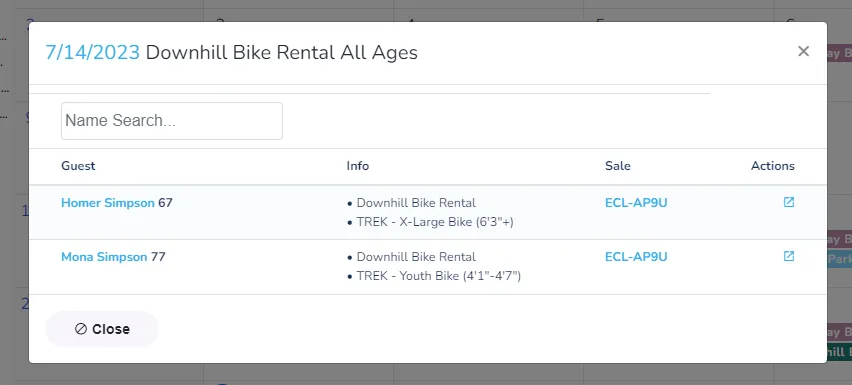
You will be able to review the Guest’s name, the sale code this product was purchased through, and any reserved rental information that might pertain to this ticket. Clicking on either the guest or sale will bring you to their respective overview pages.
Other Arrivals Calendars
Rentals Calendar
The rentals calendar, located in Reports > Operations > Rentals Calendar, is a type of arrivals calendar that only displays rental products and package products that contain rentals within them. All other functions of the arrivals calendar are available within the rentals calendar.
Lessons Calendar
The lessons calendar, located in Reports > Operations > Lessons Calendar, is a type of arrivals calendar that only displays lesson products and package products that contain lessons within them. All other functions of the arrivals calendar are available within the rentals calendar.