Age Ranges
The Access Ages page allows you to view, create, and manage age ranges that can be used for various products in SnowCloud. These age ranges can be used to restrict the age of guests that can use certain access entitlements. This page is located under Settings > Access Products > Access Ages.
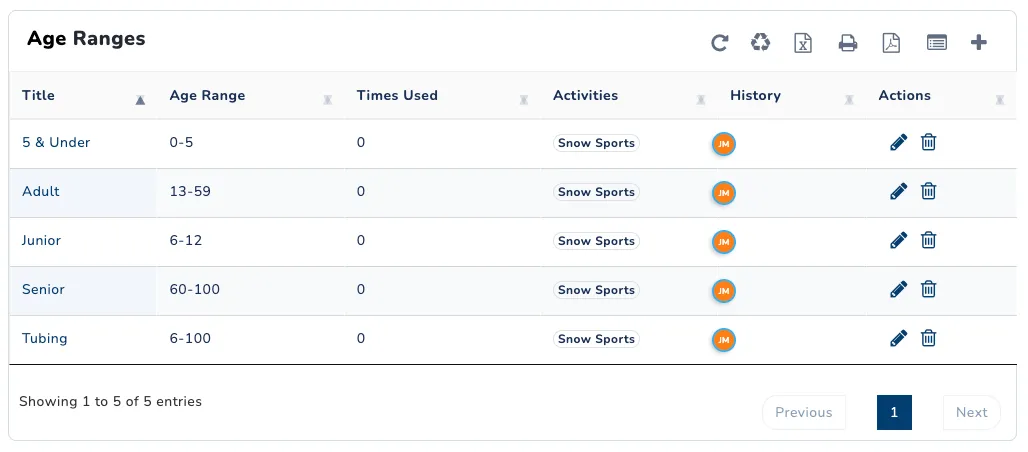
Creating a new Age Range
- Navigate to the Access Ages page.
- Click the ➕ button in the upper right corner of the page to open the Add Age Range menu.
- Enter a title for the new age range. This title will be displayed after all product names using this age range.
- Enter a set of ages or range of ages.
- (Optional) Select relevant activities.
- Click Save New Age Range.
This age range will now be available to select from in various locations within SnowCloud, such as creating Access Products.
Using Age Ranges
Age Ranges can be used to restrict which guests a user will be able to assign a product to within the web store. Access Products, Lessons, and Rentals may be restricted by one age range. Product Packages will be age restricted by the age range attached to the package, and will ignore all restrictions of the constituent items.
The Access Ages page allows you to view all set up age ranges. Drill down into a specific range to edit the title, permitted ages, and activities, as well as explore what items are currently using that age range.
Deleting an age range will not remove the age range from products it is currently attached to. Doing so will mark the age range as deleted, preventing it from being added to new products.