Sale Search
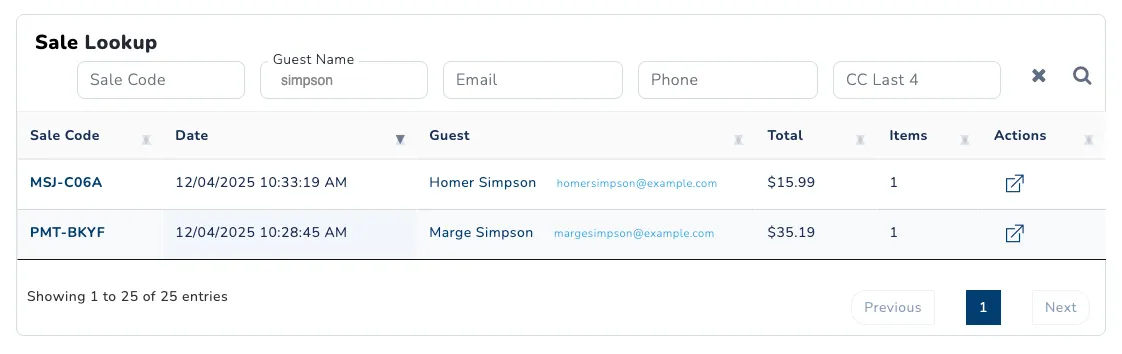
Sale Search allows you to find and manage customer orders by searching across multiple criteria. From the search results, you can view order details, process refunds, and manage individual products.
Where to Find Sale Search
- Click on Services in the left sidebar.
- Under the Purchases section, click on Sale Search.
Search Criteria
Search for sales using any of the following:
- Sale Code: The 7-digit unique code for each sale (e.g., ab1-234c).
- Guest Name: The first or last name of the guest.
- Email: The email address associated with the sale.
- Phone: The phone number of the guest.
- CC Last 4: The last 4 digits of the credit card used for the sale.
Related Guides
- Revoke a Product: Remove a product from a guest’s order.
In This Section
Order Overview
Learn about the Order Overview page in SnowCloud and its features.