Order Overview
The order overview page provides all information and actions available for a specific sale.
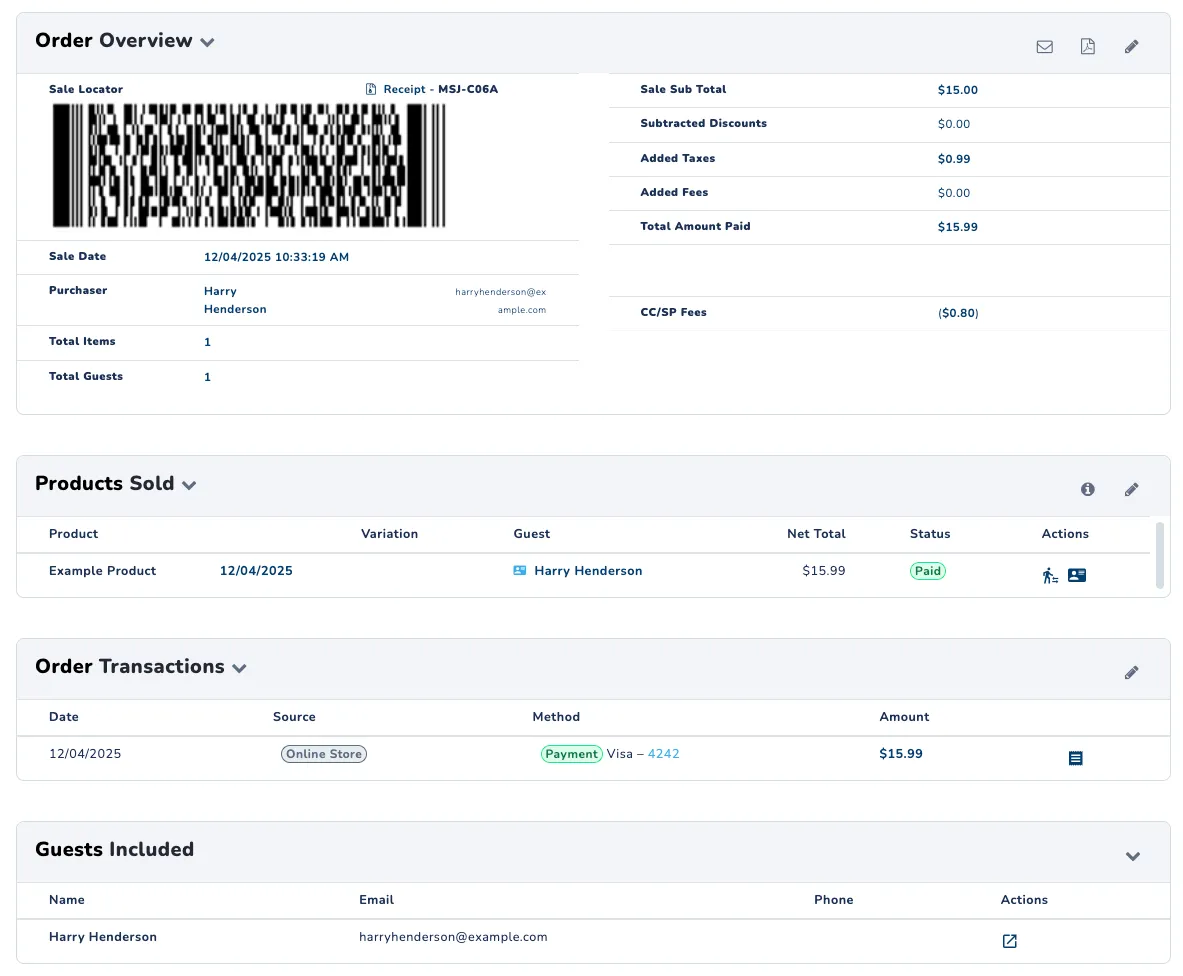
Order Overview
- Sale Code: 7-digit unique code for each sale (e.g. ab1-234c)
- Barcode: The same barcode provided to the guest, which can be scanned to quickly locate the sale within the operator app.
- Sale Date: Date and time the sale was completed
- Total Items: Sum of products purchased for this sale
- Total Guests: Sum of invited guests from this sale
- Sale Subtotal: Cost of purchased products before discounts, taxes, or fees
- Subtracted Discounts: Dollar amount deducted from the subtotal of the sale from promotions or discounts
- Added Taxes: Dollar amount added to the subtotal of the sale from applied tax of the products purchased
- Added Fees: Dollar amount added to the subtotal of the sale from any fees associated with the products purchased
- CC/SP Fees: Dollar amount added to the subtotal of the sale from credit card and SnowPay processing fees
- Total Amount Paid: Final dollar amount value charged to the purchaser using the sum of the subtotal, discounts, taxes, and fees
Actions (Pencil Icon): All available actions for selected sale
Here, you can modify the products of a given sale. Given the correct permissions, a team member can refund a product, revoke a product, modify date and time of a reservation, or cancel a plan.
Products Sold
- Product: List of all individual products purchased on this sale
- Guest: Name of guest associated with the purchased product (Click to view the guest’s information)
- Net Total: Dollar amount value for the purchased product
- Status: Current status of the listed product
Actions: List of actions available for the listed product
- Edit: Modify selected product (see Actions in Sale Overview)
- Scan: Display the barcode associated with selected product, ready to be scanned at a location
- Guest: View the selected guest’s information
Order Transactions
- Date: Date the sale was completed
- Method: Payment method used to complete the sale
- Amount: Total dollar amount charged for the sale
- Actions: Report and open sale list